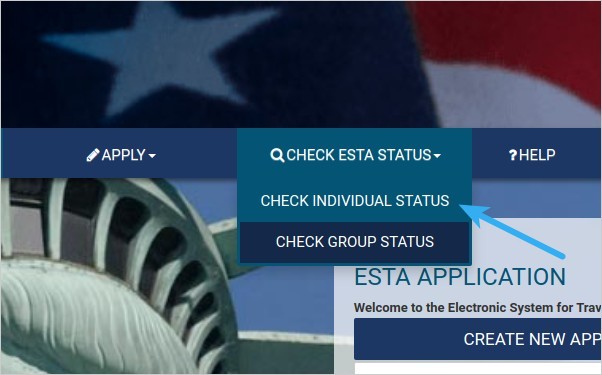
Access the U.S. Customs and Border Protection website at https://esta.cbp.dhs.gov. On the website, select the option CHECK ESTA STATUS > CHECK INDIVIDUAL STATUS. Accept the SECURITY NOTIFICATION pop-up by clicking the Confirm & Continue button.
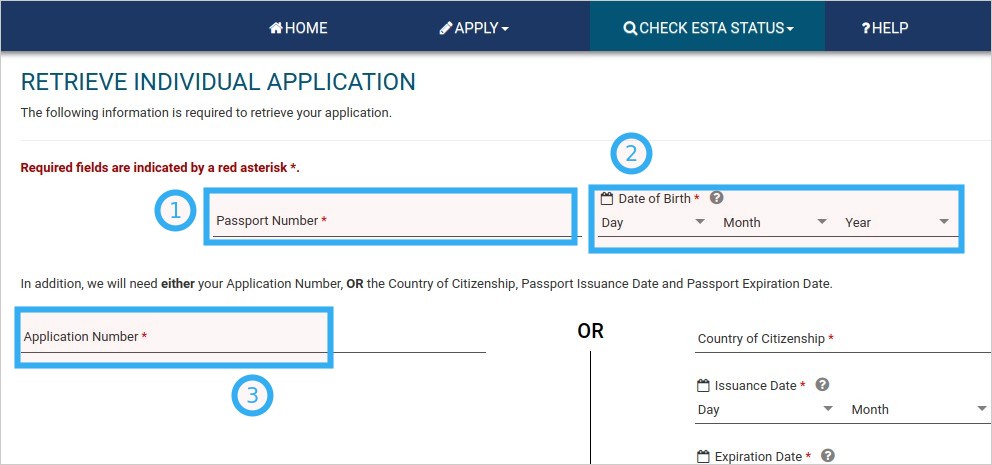
On the next screen, enter the following three details:
- Your passport number
- Your date of birth
- Your ESTA application number (this number can be found can at the top of the ESTA visa you have processed and received via email)
Once you have filled in the required information, click the RETRIEVE APPLICATION button.
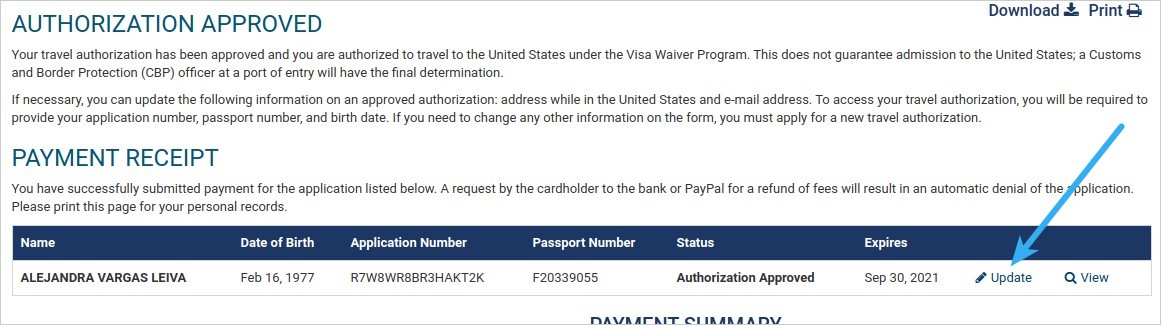
On the next screen, click on the Update link to edit your ESTA
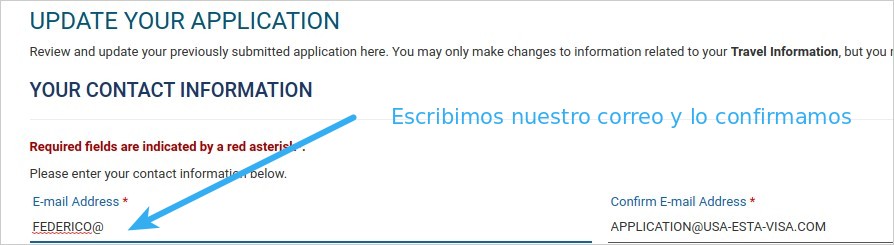
Replace the generic email address (application@usa-esta-visa.com) with your own email address. Confirm the new email address, then click the UPDATE button to save the changes.
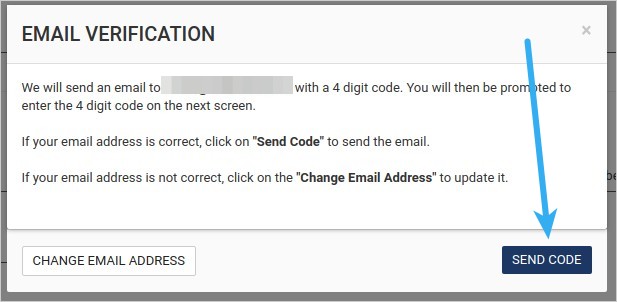
In the next EMAIL VERIFICATION pop-up window, check that your email address has been entered correctly, then click the SEND CODE button. The system will send an email containing a 4-digit code, which you will need to use to validate your email address.
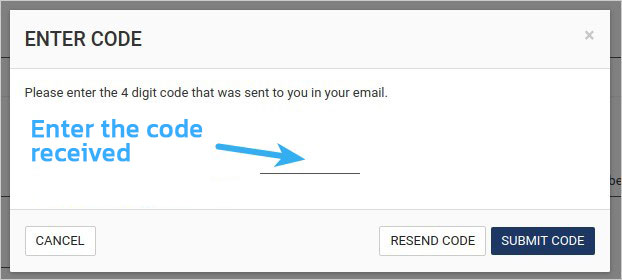
In the next pop-up window, enter the 4-digit code that was sent to your email. Finally, click the SUBMIT CODE button. This completes the process of updating and validating your email address.
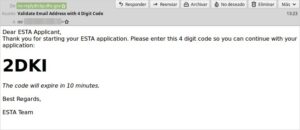
Here is an example of the email you will receive from no-reply@cbp.dhs.gov, containing the code you need to enter in the previous screen. Please note that the codes expire after 10 minutes, so you’ll need to validate your email promptly. Otherwise, you will need to repeat the steps from the beginning.